
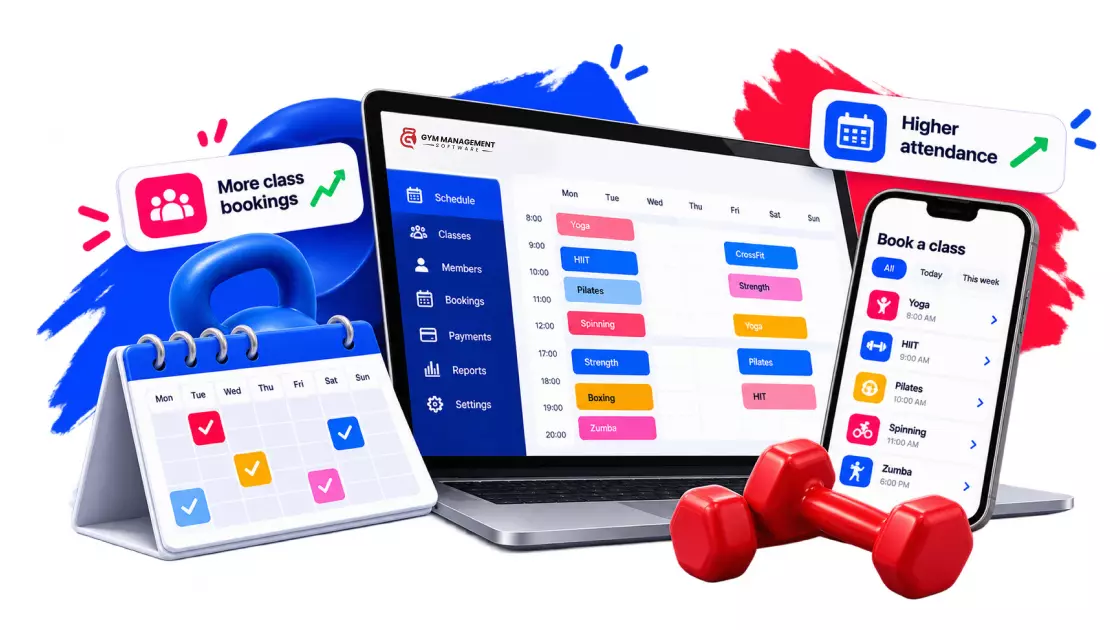
TL;DR: Gym scheduling software runs your timetable: classes, trainers, capacity, waitlists, and last-minute changes. GymManagement-Software leads the 2026 list at $99 per month with unlimited members. Mindbody, WellnessLiving, PushPress, and six more follow, each with verified pricing and its gaps named.
Most gyms still run the week off a whiteboard. Someone writes the classes up on Sunday night, members text the front desk to grab spots, and a trainer calling in sick sets off a phone chain.
That system works right up until it doesn’t. One erased time slot, one double-booked studio, one full class with three no-shows, and the whiteboard starts costing you real money.
This guide compares the 10 best gym scheduling software platforms for 2026. All prices were pulled from the vendor’s pricing pages. Every feature claim comes from the vendor’s own documentation. Where something is not published, this guide says “not documented” instead of guessing.
What gym scheduling software actually does
Gym scheduling software is the system of record for your timetable. It builds the weekly class calendar, assigns trainers to sessions, caps each class at room capacity, runs the waitlist when a class fills, and pushes changes to members the moment they happen.
The short version: it replaces the whiteboard, the shared spreadsheet, and the phone chain with one live calendar that staff and members both trust.
Scheduling vs booking: two jobs on one timetable
These terms get mixed up, and the mix-up leads gym owners to buy the wrong tool. They are two sides of the same timetable.
| Job | Who uses it | What it covers |
|---|---|---|
| Scheduling | You and your staff | Building the week: classes, trainers, rooms, capacity, substitutions, changes |
| Booking | Your members | Reserving a spot in what you built: app booking, cancellations, waitlists |
Scheduling is the supply side. Booking is the demand side. A booking tool without real scheduling depth leaves your staff managing trainers and rooms by hand behind a polished member app. If the member-facing side is your bigger problem, our guide to the best gym booking software covers 21 tools for that job. This guide stays on the operations side: the software that builds and protects the timetable itself.
The whiteboard tax: what manual scheduling costs you
Here is the problem in plain numbers. The HFA 2025 benchmarking report, built on data from 175 companies running more than 17,000 facilities, found that member retention averaged 66.4% for the year. Put another way, the average facility loses about a third of its members every year, and every scheduling failure a member sees pushes them toward that door. Smart gym member retention strategies start with a timetable members can rely on.
Member behavior makes it worse. A 2006 AER study of health club contracts found that members paying a flat monthly fee over $70 attended only 4.3 times per month, which worked out to more than $17 per expected visit. Members overestimate how often they will show up. Your schedule has to absorb that gap: the no-shows, the late cancellations, and the waitlisted members who never hear that a spot has opened.
One honest note on no-shows: software vendors publish all kinds of class no-show percentages, but there is no independent, peer-reviewed benchmark for gyms. This guide does not quote one. Measure your own rate instead; the self-audit below shows you where to start.
A quick example: the 30-class studio
Say your studio runs 30 classes a week and manual scheduling eats 15 minutes per class: taking reservations by text, updating the board, calling the waitlist, finding a sub. That is 7.5 hours of admin per week, or 390 hours per year.
At the $18.27 median hourly wage for receptionists in BLS wage data from May 2025, those hours cost about $7,125 per year. That is the whiteboard tax, and it buys you zero waitlist auto-fill, zero conflict protection, and zero booking history.
Six things a real scheduler must do that a whiteboard cannot
These six capabilities separate scheduling software from a shared calendar. They are also the criteria behind the rankings below.
- Build the recurring week. Set a class once and repeat it, with an end date or forever, instead of rewriting Monday every Sunday night.
- Cap and fill every class. Enforce room capacity, run a waitlist, and auto-fill open spots as soon as someone cancels. Capacity also drives revenue per slot, which matters when you price group fitness classes.
- Manage the people teaching. Assign trainers, track availability and leave, and handle substitutions without a phone chain.
- Let members self-serve. Booking, canceling, and rescheduling happen in an app, not at your front desk.
- Handle changes loudly. When a class moves or a trainer is swapped, every affected member is notified automatically.
- Protect rooms and spaces. One calendar should govern studios, courts, and rentals so two things never land in the same room. If you rent out space, gym facility rental software belongs on the same calendar as your classes.
How these rankings were checked
Three rules kept this list honest. First, every price comes from the vendor’s own pricing page, fetched on October 9, 2026, with promo pricing flagged as promo. Second, a feature only counts if the vendor’s own site or help docs state it; anything else is marked “not documented,” which is not the same as absent. Third, drawbacks come from named review platforms, linked so you can read the context. No vendor’s blog was used as evidence about any other vendor.
The timetable test: all 10 side by side
| Software | Starts at (US, monthly) | Waitlist auto-fill | Staff scheduling tools | Calendar sync | Built for |
| GymManagement-Software.com | $99/mo | Yes | Shifts, availability, leave | Not documented | Gyms and studios of any size |
| Mindbody | $79/mo per location | Yes | Teacher substitutions | Not documented | Multi-location chains |
| WellnessLiving | $69/mo | Yes | Substitutions via staff app | Not documented | Studios juggling rooms |
| PushPress | $0 (paid from $159/mo) | Yes | Coach assignment | Not documented | New and budget-conscious gyms |
| Gymdesk | $75/mo | Waitlist only | Instructor assignment | Not documented | Small gyms and dojos |
| TeamUp | About $104 to $189/mo | Automatic (auto-book not stated) | Instructor-level access | Google, Apple (members) | Class-first studios |
| Momence | Quote only | Yes | Automated substitutions | Google (staff) | Substitution-heavy schedules |
| Vagaro | $30/mo | Not documented | Instructor assignment | Google two-way | Hybrid wellness businesses |
| ABC Glofox | Quote only (from $99/mo) | Yes | Instructor availability | Not documented | Boutique franchises |
| Zen Planner | From $99/mo | Waitlist only | Not documented | Not documented | Martial arts schools |
“Yes” and “not documented” reflect each vendor’s own published pages as of October 9, 2026. TeamUp’s sub-100-member price is third-party; details in its entry.
The 10 best gym scheduling software in 2026
1. GymManagement-Software.com
GymManagement-Software.com is built for the supply side of the timetable: group classes and training sessions, staff shifts, and the changes in between, across one gym or multiple locations. The online gym scheduling software handles trainer availability, blocks out staff leave, and lets you set your own cancellation and rescheduling policies instead of forcing a default.
Price: $99 per month on the entry plan, about $79 per month on annual billing, per the plans and pricing page. Every tier includes unlimited members and unlimited staff, with no contracts, free data migration, and onboarding in about 48 hours.
Scheduling strengths:
- Class and session calendars with real-time availability, so double bookings do not happen
- Waitlists that notify members and automatically fill spots when someone cancels
- Staff shift assignment, availability tracking, and leave blocking
- Member app for booking, canceling, and requesting reschedules
- Facility and room rental managed on the same calendar as classes
Where it falls short: No two-way Google or Outlook calendar sync is documented, so the master calendar lives inside the platform and member app. Automated waitlist booking sits on the mid and top tiers, not the $99 entry plan.
2. Mindbody
Mindbody is the biggest name on this list, and the default pick for multi-location chains that also want its consumer marketplace. Its scheduling side is deep on people management: the Mindbody staff management page documents quick teacher substitutions with automated texts to find a sub.
Price: Starting at $79 per month per location on the entry tier, per the Mindbody pricing page. Higher tiers are quote-only, and the per-location basis adds up fast for chains.
Scheduling strengths:
- Waitlist auto-fill that moves the next member onto the roster automatically
- Separate online and total capacity limits per class
- Teacher substitution workflow with automated sub-finding texts
- Consumer app that puts your classes in front of marketplace users
Where it falls short: Its own Mindbody scheduling page notes that overlapping classes can be set, so it does not block room conflicts for you, and recurring setup is only documented for appointments, not classes. Capterra reviews of Mindbody report schedule-editing friction, including canceled classes that would not come off the schedule.
3. WellnessLiving
WellnessLiving is the strongest pick on this list for studios that juggle rooms, because it is the only vendor here that documents room double-booking prevention. The WellnessLiving booking features page covers its Book-a-Spot room and spot management directly.
Price: $69 per month on the Starter plan, billed monthly, or $62 per month on annual billing, per the WellnessLiving pricing page. Watch the promos: the $39 Business price floating around in late 2026 is a two-month promotional rate on a plan that regularly costs $199 per month.
Scheduling strengths:
- Repeating class sessions, documented in its own knowledge base
- Waitlists that promote members automatically in join order
- Staff substitutions handled through its Elevate staff app
- Room and spot booking that prevents double-booked spaces
Where it falls short: No Google or Outlook calendar sync is documented. In Capterra reviews of WellnessLiving, an April 2026 reviewer said the paid, custom-branded app “never worked correctly and I felt that I lost business,” and others reported app glitches that force reinstalls.
4. PushPress
PushPress is the budget-friendly entry point, with a genuinely free plan and the clearest waitlist documentation of the ten. The PushPress waitlist help article spells out exactly what happens: when a spot opens, the next member is moved in automatically and notified by SMS, email, or push.
Price: $0 per month on the Free plan, which earns its keep through 4.99% plus 30 cents payment processing. The first paid tier, Pro, is $159 per month with 2.89% plus 30 cents processing, per the PushPress pricing page. All plans include unlimited members and staff.
Scheduling strengths:
- Recurring classes that repeat forever, to an end date, or for a set count
- Coach assignment and per-class attendance limits
- Documented waitlist auto-fill with member notifications
- Member app with one-tap booking and automatic pre-class reminders
Where it falls short: Calendar sync, substitution management, and room conflict detection are not documented. A June 2026 reviewer in Capterra reviews of PushPress noted the mobile app “can occasionally feel slow,” and the free plan’s processing rate is the real price once revenue grows.
5. Gymdesk
Gymdesk fits small gyms and martial arts schools that want clean scheduling without enterprise clutter. The Gymdesk scheduling documentation covers recurring, multi-day weekly sessions with one or more instructors assigned to each session.
Price: $75 per month for up to 50 active members using Gymdesk Payments, or $100 per month with your own processor, per the Gymdesk pricing page. Month-to-month, no contract, 30-day free trial.
Scheduling strengths:
- Recurring weekly sessions across multiple days
- Capacity-based booking with a waitlist when classes fill
- Member app booking plus automated reminders and calendar invitations
- A calendar redesign shipped in late 2025 added weekly, monthly, and yearly recurrence
Where it falls short: Gymdesk’s own docs state that participants are not automatically notified when a session’s date or time changes; staff must manually trigger the notice. Waitlist auto-fill is not stated, and Capterra reviews of Gymdesk mention the schedule showing only one week at a time.
6. TeamUp
TeamUp is a class-first platform with every feature on every tier, which keeps buying simple even though its pricing is volume-based. Its TeamUp booking features page documents recurring classes, automatic waitlists, and member-side calendar sync to Google and Apple calendars.
Price: Volume-based. The official TeamUp pricing page publishes $189 per month for 101 to 200 active customers, but hides the sub-100 bracket behind a slider. TeamUp’s G2 pricing listing puts the 0 to 100 bracket at $104 per month; treat that figure as third-party until you get a quote.
Scheduling strengths:
- Recurring classes with capacity limits
- Automatic waitlists that keep classes full
- Member calendar sync to Google and Apple calendars
- Automated pre-session reminders
Where it falls short: It does not state whether the waitlist auto-books members, does not document substitution management, and lacks a dedicated instructor app. Capterra reviews of TeamUp also mention time-zone headaches when building schedules.
7. Momence
Momence earns its spot on one documented strength the others lack: automated instructor substitutions, listed plainly on the Momence features page, with sub-teacher reminders sent before class. For studios where subs are the weekly fire drill, that is the headline.
Price: Quote only. The Momence pricing page publishes no numbers and routes everyone to a custom, usage-based quote.
Scheduling strengths:
- Recurring classes, including multi-day interval patterns
- Waitlists that auto-promote members when a spot opens
- Automated instructor substitution workflow
- Staff-side Google Calendar sync
Where it falls short: The lack of public pricing makes comparison shopping impossible without a sales call. It also carries the lowest rating of these ten on Capterra: 3.9 across 76 reviews. Capterra reviews of Momence include a September 2025 report in which cancelled classes are still displayed on the website.
8. Vagaro
Vagaro is the lowest published price on this list and the only vendor here with documented two-way Google Calendar sync, shipped per the Vagaro Google sync note in late 2024. It suits hybrid wellness businesses that mix classes with appointments.
Price: $30 per month regular price for one location and one bookable calendar, currently $23.99 per month for the first six months, per the Vagaro pricing page. Extra bookable calendars run about $10 each up to seven.
Scheduling strengths:
- Recurring classes with instructor assignment
- Capacity limits, prerequisites, and cancellation rules per class
- Two-way Google Calendar sync
- Double-booking prevention on appointments
Where it falls short: Vagaro is salon-first, and its fitness scheduling is less battle-tested in review commentary. Capterra reviews of Vagaro from 2026 report that recurring items can only be extended about two years out and are painful to advance. Waitlist auto-fill is not documented.
9. ABC Glofox
ABC Glofox targets boutique studios and franchises that want a branded member experience backed by a bigger parent company. The Glofox scheduling features page documents recurring classes, courses, booking windows, and waitlists that fill cancelled spots as soon as they open.
Price: Quote only. The Glofox plans page advertises plans starting at $99 per month, but every tier says request pricing, so treat $99 as a floor, not a plan price.
Scheduling strengths:
- Recurring classes, courses, and workshops
- Automatic waitlists that fill canceled spots
- Per-class capacity limits and booking windows
- Instructor assignment with availability tracking
Where it falls short: Substitution management and calendar sync are not documented. Capterra reviews of Glofox include an April 2026 report of appointments not appearing under bookings, forcing manual confirmation emails, and a 2025 report of booking windows not being enforced.
10. Zen Planner
Zen Planner has a long history with martial arts schools and community-driven gyms, and its plans bundle scheduling with belt tracking and skills features those gyms want. Its Zen Planner features page lists class scheduling, booking, waitlists, and self-service check-in from the member app on every plan.
Price: From $99 per month on the Studio plan, month-to-month, per the Zen Planner pricing page. The price scales with your active member count, so budget for growth.
Scheduling strengths:
- Class scheduling and booking included in all plans
- Waitlists and member app self-service check-in
- Per-program class capacities with automated missed-class texts
Where it falls short: Public pages are thin on scheduling detail: recurring setup, waitlist auto-fill, substitutions, and calendar sync are all undocumented. The most substantive scheduling complaints on the Software Advice review page date from 2017 to 2020, so weigh them as dated signals, not current verdicts.
The whiteboard test: 8 signs you have outgrown manual scheduling
Count how many of these describe your gym. Three or more means the whiteboard is already costing you, members.
- Members book classes by text, DM, or calling the front desk
- Someone rewrites the full weekly schedule by hand every week
- A sick trainer triggers a phone chain instead of a workflow
- Full classes run with empty spots because late cancels never reach the waitlist
- Two sessions have landed in the same room in the last 90 days
- You cannot say what your no-show rate was last month
- Schedule changes reach members by word of mouth or a taped-up notice
- Staff hours and trainer availability live in a separate spreadsheet from classes
From whiteboard to live timetable: your 30-day switch plan
- Week 1: Measure the tax. Track admin minutes per class, no-shows, late cancels, and waitlist misses for one full week. This is your baseline and your negotiating math.
- Week 2: Shortlist three. Pick from the table above using your two hardest problems, not the longest feature list. Confirm current pricing on each vendor’s page, since promos and tiers move.
- Week 3: Demo against your real week. Load your actual timetable into each trial. Test one trainer swap, one class cancellation, and one full class with a waitlist, end to end.
- Week 4: Migrate and announce. Pick the winner, move member and schedule data, set cancellation policies, and tell members exactly one thing: book through the app from now on.
Run that plan, and the rankings above stop being a list and start being a decision.
Frequently asked questions
What does gym scheduling software do?
It builds and protects your weekly timetable. That means recurring class setup, trainer assignment and substitutions, room and capacity limits, waitlists, and automatic member notifications when anything changes. Members book themselves through an app, so your front desk stops being a reservation hotline, and your schedule becomes the single source of truth.
What is the difference between scheduling and booking software?
Scheduling software is staff-side: it builds the week, assigns trainers, caps rooms, and manages changes. Booking software is member-side: it lets people reserve spots in what you built. Most gym platforms bundle both, but depth varies widely, so decide which side hurts more before you shortlist tools.
How much does gym scheduling software cost in 2026?
Published monthly prices on this list run from $30 (Vagaro) to $189 (TeamUp’s upper bracket), with GymManagement-Software.com at $99 with unlimited members. Mindbody starts at $79 per location. Momence and ABC Glofox are quote-only. Free exists too: PushPress charges $0 and earns through payment processing fees.
Can members book and cancel classes themselves?
Yes, every platform on this list offers member self-booking through an app or web portal. The differences show up at the edges: whether cancellation windows are enforced, whether reschedules need approval, and whether the waitlist books the next member automatically or just sends a notification and hopes.
How does waitlist auto-fill actually work?
When a booked member cancels, the software promotes the next waitlisted member into the spot and notifies them via push notification, SMS, or email, with no staff involved. PushPress, Momence, and WellnessLiving explicitly document this behavior. Some platforms only notify the waitlist without booking anyone, leaving spots empty.
Is there reliable data on gym class no-show rates?
No. Vendors publish no-show percentages, but there is no independent, peer-reviewed benchmark for gym classes, so this guide quotes none. The useful number is your own: track no-shows and late cancellations for 30 days, then judge any software claim against your baseline rather than a marketing statistic.
Conclusion
The whiteboard was never free. It costs admin hours, empty spots in full classes, and the trust members lose every time a change reaches them late. The HFA’s 66.4% average retention figure suggests the industry already loses a third of its members each year; a timetable of members cannot rely on that number alone.
The fix is not the longest feature list. The scheduler solves your two hardest problems at a price you can verify. The table above gives you the verified version of that choice, gaps included.
Ready to retire the whiteboard? GymManagement-Software.com runs your classes, trainers, waitlists, and rooms on one live calendar, with unlimited members on every plan and onboarding in about 48 hours. Book a demo and bring your messiest week.