
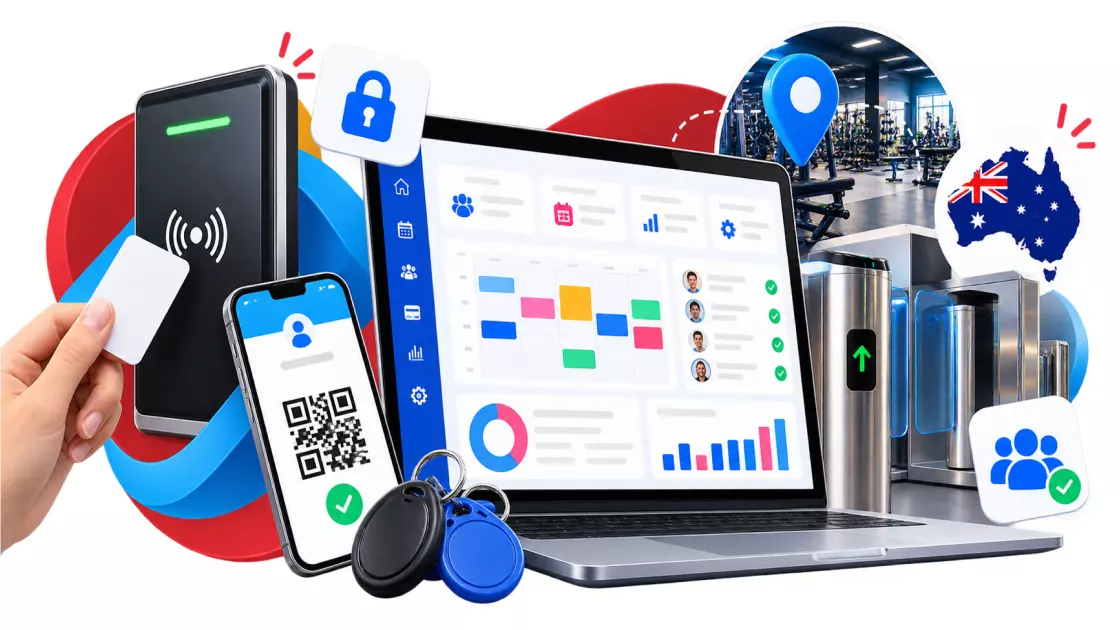
Running a gym around the clock gives members more flexibility and allows owners to serve people outside traditional staffed hours. But a 24/7 gym needs more than a smart lock and a membership app. It needs a reliable access control system that connects entry permissions, membership status, payment records, physical security, and emergency procedures.
For independent gym owners, franchise operators, and fitness entrepreneurs across Australia, the main challenge is balancing convenience, safety, and cost. Members need to enter without waiting for staff, while owners need confidence that only authorized people can get inside. Doors must work during internet outages, emergency exits must remain compliant, and expired memberships must not continue granting access indefinitely.
The right setup brings these functions together. A member checks in with an approved credential, the system verifies their access rights, and the door controller unlocks the door. The visit is recorded, while membership and payment information stays synchronized with the gym management platform.
This guide explains how 24/7 gym access control works in Australia, what different entry methods cost, how to choose suitable door hardware, which safety considerations matter, and how to implement an unstaffed facility.
Key takeaway: Don’t buy access control as a standalone security product. Choose a complete system that fits your doors, membership and payment workflows, emergency arrangements, and the building’s compliance requirements.
1. How 24/7 gym access control changes gym operations
A staffed gym can rely on reception employees to check memberships, issue temporary passes, answer questions, and intervene when someone tries to enter without authorization. An unstaffed facility needs technology and documented procedures to handle many of these tasks.
Access control becomes the first checkpoint in the member experience. It determines who can enter, when they can enter, which areas they can use, and what happens when their membership status changes.
Access control must connect entry permissions with membership status
A door reader alone cannot determine whether someone has paid their membership fees. It can only read a credential and send information to a controller or access management platform.
The complete system needs to check that credential against the member’s current permissions. Depending on the setup, those permissions may consider:
- Whether the membership is active.
- Whether the member has completed the required induction.
- Whether the account is suspended or canceled.
- Whether the membership allows access at that time.
- Whether the person has permission to enter a particular location or restricted area.
- Whether the credential has been reported lost or revoked.
Together, these rules let owners reduce manual checks and prevent many avoidable access errors.
For example, suppose a member’s direct debit fails, and the gym suspends their membership under its agreed payment policy. If the membership platform communicates that status to the access system, the system can automatically decline the member’s next entry attempt. The system can then direct them to the appropriate payment or support process.
The timing matters. Ask the supplier how quickly changes reach the door controller, what happens when a payment is disputed, and whether authorized staff can safely override a restriction.
The 2 am problem: disconnected systems create avoidable risks
Imagine a gym where billing runs through one platform and door access runs through another. A member’s payment fails, but the access system never receives the updated status. The member continues entering because their old credential remains valid.
This is a genuine integration risk, although the financial impact depends on the gym’s membership fees, payment policies, and the number of affected accounts. No universal monthly loss figure applies to every 200-member gym.
To prevent this problem, check whether your systems automatically share membership status. Ideally, access changes should follow clearly defined rules, with an audit trail showing when a restriction was applied, which system initiated it, and whether the door controller received it.
Also establish a process for legitimate exceptions. A temporary payment issue, disputed charge, or administrative mistake should not leave staff unable to resolve a member’s access problem.
A 24/7 gym still needs a human response plan
Automation can control entry, record events, and send alerts. It cannot replace every function of a responsible operator.
Someone must be able to respond to a medical emergency, security incident, lock failure, or member complaint. Your plan should identify who monitors alerts, who can contact emergency services, who can authorize access remotely, and who can arrange repairs.
The AUS active recommendations for unsupervised health and fitness facilities provide a useful starting point. They address surveillance, panic alarms, emergency signage, first aid, inductions and risk management for facilities operating without suitably qualified supervision.
2. Entry credentials: RFID, mobile apps, biometrics and PIN codes
Credentials are how members identify themselves at the entrance. The best option depends on your members, door hardware, budget, security risks, and the support available when something goes wrong.
| Entry method | Main advantage | Main limitation | Best suited to |
| RFID fob or card | Familiar, quick and easy to issue | Tokens can be lost, shared or copied if the technology is vulnerable | Traditional gyms and mixed-age memberships |
| Mobile app | Convenient for members who carry smartphones; can support digital passes | Depends on phone availability, battery, device compatibility and reader integration | App-led gyms and digital-first operations |
| Biometric access | Can verify a person’s physical characteristics rather than relying only on a transferable token | Higher privacy, security, cost, and implementation considerations | Facilities with a clear, justified need for stronger identity verification |
| PIN keypad | Simple credential with no token to distribute | Codes are easy to share and can be exposed through observation | Lower-risk areas or secondary access, subject to risk assessment |
RFID key fobs and cards
RFID credentials use radio-frequency technology to communicate with a compatible reader. A member presents a fob or card, the reader captures its credential data, and the access system checks whether entry is permitted.
RFID remains popular because it is straightforward. Members don’t need to open an app, navigate a screen, or maintain a particular phone operating system. A gym can issue credentials during enrolment and deactivate them when a member leaves.
However, not all RFID systems provide the same level of security. Some older or poorly configured technologies can be copied or emulated more easily than modern credentials. Ask the supplier which credential technology is used, whether credentials are encrypted or otherwise protected, and how lost or compromised fobs are revoked.
Token sharing is another concern. A member may lend a fob to a friend, allowing an unauthorized person to enter. Access logs can show which credential was used, but they do not automatically prove who carried it.
Cost considerations: Budget for initial tokens, replacement stock, administration, and shipping. The cost depends on the credential type, quantity, branding, and supplier. Don’t assume every fob costs the same or that a fixed percentage of members will lose theirs each year. Track your own replacement rate after launch.
What to ask the supplier:
- What RFID technology does the system support?
- Can a lost fob be revoked immediately?
- Can one credential be active at multiple sites?
- Can the system flag repeated or suspicious entry attempts?
- Does the reader support both RFID and another credential method?
Mobile app access: QR codes and Bluetooth
Mobile access lets members use a smartphone as their entry credential. Depending on the system, the member may open an app, display a QR code, tap an in-app unlock control, or use Bluetooth proximity to interact with a compatible reader.
For operators, mobile access can reduce the need to buy and distribute physical tokens. It can also fit naturally into digital membership journeys, where members sign up, complete forms, manage payments, and access their gym through one app.
Mobile credentials may also support trials and casual visits. For example, an operator can issue a time-limited digital pass that works only during a specified period. The access platform should enforce the pass’s expiry and entry rules rather than relying on the member to remember when it ends.
Mobile access is not automatically impossible to share or copy. A static QR code may be photographed or forwarded. A dynamic QR code can reduce this risk if it expires or changes frequently. Bluetooth access can offer a different experience, but the security depends on the credential design, device authorization, and reader implementation.
A mobile-first gym also needs a fallback for members whose phones are flat, lost, or incompatible. A secure alternative might be a verified staff-assisted process during supported hours or a separately issued credential. Do not make an informal shared PIN the default backup.
Before choosing mobile access, check:
- Whether the app works on the major phone platforms used by your members.
- Whether credentials are dynamic, time-limited, or otherwise protected against sharing.
- Whether members need an active internet connection at the door.
- Whether the reader can work with cached permissions during an internet outage.
- How staff can help someone who cannot unlock the door.
- Whether the access method can be revoked without replacing hardware.
Biometric and facial recognition access
Biometric systems use characteristics such as a face or fingerprint to verify or identify a person. They can reduce dependence on physical tokens, but they introduce privacy and governance responsibilities that ordinary fobs may not.
The distinction matters under Australian privacy law. The Office of the Australian Information Commissioner (OAIC) explains that biometric information used for automated verification or identification is sensitive information under the Privacy Act 1988. Where the Act applies, collection and use must satisfy the relevant legal requirements, including consent requirements where applicable and appropriate protection.
Before adopting facial recognition or fingerprint access, assess whether collecting biometrics is reasonably necessary for your purpose, whether a less intrusive method would work, and how the data will be stored, accessed, retained and deleted. The OAIC’s facial recognition technology guidance recommends considering privacy impacts from the outset.
Do not assume that every gym is covered by the Privacy Act in exactly the same way. Coverage depends on the organization and circumstances. However, a business should not treat biometric data casually just because it believes a small-business exemption might apply. Other privacy, contractual, or state and territory requirements may also be relevant.
Biometric systems also require careful practical assessment. Lighting, camera positioning, sensor condition, accessibility, false rejections and the process for members who cannot use the chosen biometric method all matter. A biometric reader is not a substitute for a complete access-control and emergency-exit design.
Cost considerations: Hardware, installation, licensing and integration costs vary widely. Treat any initial estimate, including figures in the thousands of Australian dollars, as a preliminary budget rather than a standard market price. Obtain a written quote that covers hardware, software, data handling, support, and ongoing maintenance.
For many independent gyms, a well-designed RFID or mobile access system will be simpler and less intrusive. Consider biometrics only when the operational benefit justifies the additional complexity.
PIN code keypads
A PIN keypad lets a member enter a code instead of carrying a fob or using an app. This can be inexpensive and useful for selected access scenarios, but shared codes are a substantial weakness for a public-facing gym.
If every member uses the same code, it becomes difficult to identify who entered. If each member has an individual code, the operator still needs a reliable way to create, change, and revoke codes. Codes can also be shared through messages or observed while someone enters them.
Keypads can work as part of a broader system when each code is individually assigned, access is time-limited where appropriate, and the system records events. They are less suitable as the sole control for a facility where unauthorized entry presents a serious safety or financial risk.
A low purchase price does not necessarily mean a low operating cost. Consider the work involved in changing codes, responding to suspected sharing, and investigating incidents.
3. Gym access control hardware and door mechanics
A gym access system combines electronic components with a physical door and locking mechanism. Buying compatible readers is only one part of the job. The door must close reliably, the lock must suit the frame, and people must be able to leave safely in an emergency.
The three core components
1. Reader
The reader receives a credential. Depending on the system, it may read an RFID fob, scan a QR code, communicate with a smartphone over Bluetooth, or process biometric input.
A reader does not necessarily decide whether the person should enter. In many systems, it passes credential information to a controller or access platform.
2. Door controller
The controller processes access decisions and operates the locking mechanism. It may communicate with a cloud service, a local server, or a gym management platform.
Ask whether the controller can store authorized credentials locally. This matters when the internet connection fails. A system that depends on a live cloud response for every entry may stop admitting legitimate members during an outage.
3. Locking mechanism
The lock physically secures the door. Common options include electromagnetic locks, electric strikes, and electric bolts. The right choice depends on the door construction, frame, traffic, existing hardware, fire and egress requirements, and how the door must behave during a power failure.
The reader, controller, and lock should be specified as one working system. A reader that supports a particular credential does not guarantee compatibility with the controller, software, and lock.
Electromagnetic locks versus electric strikes
An electromagnetic lock, often called a maglock, uses an electromagnet and a metal armature plate to hold the door closed. When power to the magnet is removed, the magnetic holding force is released.
An electric strike replaces or modifies the fixed strike plate in the door frame. It releases the latch so the door can open, while the door’s mechanical latch and handle remain part of the arrangement.
Neither option is universally better.
| Consideration | Electromagnetic lock | Electric strike |
| Typical application | Suitable doors and frames where magnetic holding is appropriate | Doors with compatible latches and frames |
| Power-loss behavior | The magnetic holding force is lost when power is removed | Behavior depends on the strike type and configuration |
| Door hardware | Requires a suitable armature mounting surface and alignment | Must match the latch, frame and door geometry |
| Emergency egress | Must be designed so required exits release appropriately | Must be configured with compliant exit hardware and door operation |
| Installation | May require additional brackets, wiring and release interfaces | May require frame preparation and accurate alignment |
A locksmith or access-control installer should inspect the actual door before recommending a lock.
Fail-safe and fail-secure locks: understand the difference
The terms describe what a lock does when its power supply is lost. They do not, by themselves, establish that an installation is safe or compliant.
A fail-safe lock releases when its power is removed. A typical electromagnetic lock behaves this way. A fail-secure lock remains secure from the outside when power is removed, although the exact behavior depends on the product and how the door is configured.
For a 24/7 gym, the important question is not simply which lock is safer. It is how occupants can exit during normal operation, a power failure, a fire alarm or another emergency.
The National Construction Code and applicable building requirements govern exit arrangements according to the building and its use. The Australian Building Codes Board’s material on escape provisions explains why suitable exits are required. Confirm the edition and provisions that apply to a particular building, rather than relying on an older guide.
Do not assume every gym door must use a maglock, or that every door should unlock the same way during a power failure. A compliant solution may require specific hardware, release arrangements, fire alarm interfaces, or other measures, depending on the door’s role.
Emergency release must not depend on a cloud service or a slow software request. The exit arrangement should operate through the appropriate local hardware and approved fire or life-safety interfaces. Purchase and install push-to-exit devices, emergency release units, and fire alarm connections in accordance with applicable requirements.
Never drill into, alter, or replace hardware on a fire-rated door without confirming that the work is permitted and will preserve the door assembly’s required performance. Use qualified installers and consult the relevant building or fire-safety professional.
Local caching: what happens when the internet goes down?
A 24/7 gym should have a documented plan for an internet outage. If the door controller relies on a live cloud connection for every access decision, a connectivity failure could lock out legitimate members or pressure staff to bypass security.
Local caching allows a compatible controller to retain authorized credentials or permissions and make defined access decisions without contacting the cloud each time. Events can then synchronize after connectivity returns.
However, local caching has trade-offs. While offline, a controller may not receive a newly suspended membership or a recently revoked credential. The outage length, the controller’s configuration, and the credential type determine the exposure.
Ask the supplier:
- Which access permissions are stored locally?
- How frequently does the controller synchronize with the central system?
- What happens if the internet connection is lost for several hours?
- Can a recently canceled credential still work offline?
- Are entry logs stored locally and uploaded later?
- What happens during a controller reboot or power interruption?
- How does the system monitor a device when it stops communicating?
Test these scenarios before opening. Do not accept a generic assurance that a system works offline without a demonstration of its exact behavior.
Door alignment, unlocking time, and physical installation
Access control can fail even when the electronics are working correctly. A door that sticks, a latch that does not line up, or a closer that fails to pull the door shut can cause repeated entry problems.
Before installation, assess the door’s material, thickness, frame, hinges, latch, closer, and existing locking hardware. Sliding aluminum doors, timber doors and frameless glass doors may require different components.
The unlock duration also needs testing. If the door relocks too quickly, a member may be caught by the closing mechanism or fail to enter. If it remains unlocked too long, another person may follow through. The correct setting depends on the door, closer, access method, and risk assessment. A five- or six-second setting may be a useful starting point for some installations, but it is not a universal specification.
Commission the door under realistic conditions. Test repeated entries, slow movement, mobility-aid access where relevant, door closure, latch engagement, and the system’s behavior when someone tries to follow another member through.
4. Australian Safety, Privacy and Compliance Considerations
An unstaffed gym still has responsibilities for the people using its facilities. Removing reception staff does not remove the need to assess risks, provide suitable emergency arrangements, maintain equipment and comply with applicable laws.
The exact requirements depend on the state or territory, building classification, lease conditions, approved use, insurance policy and services provided. Treat the following as a planning framework, not a substitute for advice on the particular premises.
Duty of care and unstaffed operation
Gym operators should assess the risks of people exercising without immediate staff supervision. These can include medical emergencies, equipment misuse, slips, falls, assault, unauthorized entry and difficulties contacting help.
The AUS active unsupervised facility recommendations specifically address risk management in unstaffed facilities. They recommend measures such as surveillance of relevant areas, monitored panic alarms, clear emergency signage, first-aid arrangements, inductions and appropriate insurance.
Use these recommendations to develop a documented operating plan. Then confirm the legal and insurance requirements that apply to your location. A system that works well for a small, low-traffic training studio may not be sufficient for a large facility with heavy free weights, multiple rooms or complex access routes.
CCTV, privacy and monitoring
CCTV can help operators review entry events, investigate incidents and support emergency response. Position cameras to cover relevant entry and exit points and other appropriate operational areas.
Privacy is essential. AUSactive recommends excluding CCTV from change rooms and bathrooms. Do not install cameras in these private areas as a routine security measure.
Do not assume that every Australian gym must retain CCTV footage for exactly 30, 60 or 90 days. A universal retention period does not apply to every facility. Retention should reflect legitimate operational needs, applicable state or territory surveillance laws, privacy obligations, insurer requirements and any incident-preservation needs.
The OAIC’s guidance on security cameras explains that state and territory laws may apply to camera use, while the Privacy Act’s application depends on the organization and circumstances.
Before installation, document:
- Which areas are recorded and why.
- Whether audio is disabled unless there is a properly assessed and lawful reason to use it.
- Who can view footage and how access is logged.
- How long recordings are kept and how they are securely deleted.
- How members are informed about surveillance.
- What happens when footage must be preserved after an incident.
- Whether the cameras, recorder and internet connection have backup arrangements.
CCTV is only useful when someone can respond to an alert or retrieve relevant footage. Confirm whether monitoring is live, event-triggered or retrospective, and who has authority to contact emergency services.
Panic alarms and emergency communication
A panic alarm lets a member request assistance without having to find a staff member. Depending on the facility, suitable options may include fixed wall buttons, wearable pendants or another accessible alert method.
A button that only sends a notification to an unattended inbox is not a complete response system. Decide who receives the alert, how it is acknowledged, when emergency services are contacted, and how the incident is documented.
AUSactive recommends fixed and mobile panic alarms that are readily accessible, clearly identified, and monitored by a third party able to access relevant CCTV and alert emergency services. Select and position the system according to the facility’s layout and risks.
Test the full response chain. Trigger each alarm, confirm the monitoring service receives it, check the location information, and verify that the escalation process works outside ordinary business hours. Re-test after changes to the internet connection, monitoring provider, or alarm equipment.
First aid and AED planning
A first-aid kit and clear emergency instructions are important parts of an unstaffed gym’s safety plan. The equipment and arrangements should reflect the facility’s risk assessment and applicable workplace obligations.
Safe Work Australia’s first-aid guidance explains that workplace first-aid needs depend on factors such as hazards, location, size and the people present. Assess its requirements for workers and workplaces alongside the needs of gym members and visitors.
An automated external defibrillator (AED) can be valuable in a facility where a cardiac emergency could occur. Confirm whether an AED is legally required for a particular gym in the relevant jurisdiction and premises; do not assume there is one universal rule for every commercial gym.
If you provide an AED, make it easy to find, keep it maintained according to the manufacturer’s instructions, and ensure signage and emergency procedures explain where it is located. A device that is locked away, has an expired battery or is unknown to members may not provide the intended benefit.
Your plan should also cover emergency contact details, a functioning means of communication, first-aid equipment checks and a procedure for helping emergency responders enter the building.
Inductions, health screening and digital records
Members need to understand how to use the facility safely when staff are not present. An induction should explain the equipment, emergency exits, panic alarms, first-aid location, incident reporting process and the rules that apply during unstaffed hours.
Where appropriate, the process may include pre-exercise screening, equipment instruction and confirmation that the member understands the limits of unsupervised training. AUSactive’s recommendations support a thorough induction process for consumers using an unsupervised facility.
Digital records can help demonstrate that an induction took place. They can also make it easier to update procedures and confirm that a member accepted the relevant terms. However, a digital waiver does not automatically remove the operator’s legal duties or guarantee insurance coverage.
Confirm your insurer’s specific conditions for unstaffed access, including required inductions, documentation, alarm monitoring and facility restrictions. Store member records securely and retain them according to a documented policy.
Preventing tailgating and credential sharing
Tailgating occurs when an unauthorized person follows an authorized member in without presenting their own credential. It can undermine access control even when membership data and door hardware are functioning correctly.
Possible safeguards include:
- Individual credentials instead of one shared code.
- Clear signage against lending or sharing access credentials.
- Entry logs that flag repeated or unusual access patterns.
- Cameras positioned to review the entrance without intruding on private areas.
- Photo alerts or entry snapshots where lawful, proportionate and appropriately managed.
- Turnstiles or speed gates where the building layout, accessibility and egress requirements allow them.
- Clear membership terms and a fair process for investigating suspected breaches.
Some systems can compare access events with camera activity or flag multiple entries within a short period. These features can help identify suspicious behavior, but they are not infallible. One credential scan followed by two people entering may not always be detected accurately.
Do not install a turnstile or secondary barrier without checking emergency egress and accessibility. Security measures must not create a new hazard or obstruct evacuation.
5. How much does 24/7 gym access control cost in Australia?
The total cost depends on the number and type of doors, existing hardware, credential method, software, installation complexity and safety infrastructure. A simple retrofit on a compatible timber door may cost much less than modifying a glass entrance, integrating with a building fire system or installing several controlled entry points.
The figures below are indicative planning ranges, not verified quotes or fixed Australian market prices. Use them to structure a budget, then obtain written quotes from suppliers and licensed or appropriately qualified installers.
Initial hardware and installation costs
| Cost item | Indicative planning range (AUD) | What affects the price |
| Reader, controller and compatible locking hardware | A200–A800+ per door | Hardware type, security level, compatibility and whether a controller is shared |
| Standard door installation labour | A150–A350+ | Door condition, wiring route, labor rates and existing hardware |
| Complex aluminum, sliding or glass-door installation | A400–A1,000+ | Specialist brackets, frame preparation and door-specific components |
| CCTV equipment for a small facility | A500–A2,000+ | Number of cameras, resolution, recorder or cloud storage, cabling and installation |
| Panic alarm equipment | A300–A800+ | Number of buttons, wireless or wired design and monitoring compatibility |
| Commercial AED | A1,200–A2,000+ | Device model, accessories, cabinet, installation and ongoing consumables |
These figures are not a complete project quotation. Some suppliers bundle a controller, reader and software; others price them separately. Installation may also require electrical work, fire-system integration, door repairs, network upgrades or approval from the building owner.
Request a breakdown that distinguishes equipment, installation, software, monitoring, ongoing maintenance and optional features. Check whether prices include GST, shipping, commissioning, and after-hours call-out charges.
Ongoing operating costs
| Cost item | Budgeting approach |
| Access control or gym management software | Compare the monthly subscription, included member capacity, access-control add-on and integration fees |
| Alarm monitoring | Obtain a quote for the monitoring hours, response process, connection method, and service level |
| RFID credentials | Calculate the cost of initial stock and replacement tokens based on your actual usage |
| Mobile access | Check whether it is included, charged per location, or priced as an add-on |
| CCTV storage | Confirm retention settings, cloud storage limits, connectivity and any recurring license |
| Maintenance and support | Budget for testing, battery replacement, repairs, software support and emergency call-outs |
| Internet and backup connectivity | Confirm whether the existing service is reliable and whether a backup connection is needed |
Some gym owners may consider free gym management software to reduce their monthly expenses. However, free plans may not include 24/7 access control, compatible door hardware integrations, or automated membership-based entrty permissions. Before choosing a platform, check which features are included and what additional costs apply.
Example: building a realistic budget for one entrance
Consider a gym with one controlled entrance, existing CCTV, and a suitable door. The operator is comparing an RFID setup with mobile access.
First, obtain a hardware and installation quote for the door. Second, confirm the software cost and whether access control is included or charged separately. Third, calculate recurring costs, including credential replacement or mobile-access fees, support, and any monitoring service.
If the door needs frame modification, new wiring, or fire-system integration, add those costs before comparing options. If CCTV or panic alarms are missing, cost them as separate safety requirements rather than optional access-control accessories.
A useful total-cost-of-ownership calculation is:
First-year cost = hardware + installation + setup fees + 12 months of software + 12 months of monitoring + credentials + maintenance + other required work.
For later years, remove one-off costs and include ongoing subscriptions, repairs, replacements, and upgrades. Compare at least three years if you expect to keep the system for that long.
Compare real vendor pricing, not just headline subscriptions
Public pricing can provide a starting point, but confirm the currency, included features, member limits, access hardware, tax treatment, and contract terms before deciding.
For example, GymMaster’s Australian pricing page lists software-only plans and separate plans with 24/7 door access control. It also publishes prices for selected hardware, including readers and a Gatekeeper controller. These figures help with an initial comparison, but you still need to assess installation and suitability for your premises.
VERVE Pulse’s pricing page lists Australian-dollar software plans and an optional access-control add-on through Kisi. The page lists the add-on as a per-location monthly charge, so buyers should confirm the full hardware, installation, and integration requirements before calculating the total.
These examples show why you should compare software and access control together. A membership platform may manage payments and member records but require separate hardware, subscriptions or integrations to operate the door.
When requesting quotes, ask each supplier to price the same scenario: the same number of doors, member count, entry methods, payment integrations, support requirements and monitoring arrangements. That makes the comparison much more useful than placing headline subscription prices side by side.
6. Choosing access control software for an Australian gym
The software should connect member records with access permissions and give operators a clear view of what is happening at the entrance. It should also fit the way the gym collects payments, handles suspensions, and manages support requests.
Membership and payment integration
The system should define what happens when a membership starts, expires, is suspended, or is canceled. It should also handle legitimate exceptions, such as an agreed payment arrangement or a staff-authorized temporary access period.
Ask whether access permissions update automatically when the membership status changes. Confirm the expected update time and whether a change can be delayed by an offline controller.
Don’t treat a payment failure as a simple signal to lock someone out without context. A well-configured workflow follows the gym’s membership agreement and payment policy, applies any relevant notice or grace period, records the decision, and gives the member a way to resolve the issue.
Australian payment support
If the software also handles membership billing, confirm that it supports the payment methods your gym intends to offer. Depending on the provider and configuration, these may include cards and Australian BECS direct debit.
Do not assume that every payment provider, direct-debit arrangement or newer payment service is available through every gym platform. Ask about failed-payment notifications, retry rules, payment authority management, refunds, and reconciliation.
Access control and billing should work together, but the gym must retain a clear and fair process for payment disputes and account corrections.
Remote administration and audit logs
A remote dashboard can help authorised staff review entry events, revoke lost credentials, issue temporary passes, and investigate a door fault without traveling to the premises.
Check the permissions available to different staff roles. A coach may need to review attendance but should not necessarily have access to billing information or the ability to change every door setting.
Audit logs should show important events such as access granted or denied, credential changes, manual unlocks and system faults. Confirm how long these logs are retained, who can view them, and how they can be exported if an incident needs investigation.
Vendor questions before signing
Use the following checklist during demonstrations and quote reviews:
- Does the platform support the entry methods and door hardware I need?
- Can membership status automatically update access permissions?
- What happens during an internet or power outage?
- Can a controller make local access decisions?
- How are emergency exits and fire-system interfaces handled?
- Is there a 24/7 support or monitoring arrangement, and what does it cover?
- Can staff revoke lost credentials and issue temporary passes?
- Does the system provide useful access logs and alerts?
- What are the hardware, installation, subscription and maintenance costs?
- What happens if I change software suppliers?
- Can I export member records and access logs?
- What privacy and security controls protect member information?
A supplier should be able to explain the system’s limitations and features. If answers about emergency egress, offline access, or integration behavior are vague, ask for clarification before signing.
7. Step-by-step setup: From door survey to 24/7 operation
A staged implementation reduces the risk of opening a facility before the access system, emergency arrangements and member procedures are ready.
Phase 1: Survey the doors and assess compliance
Start by documenting each entry and exit point. Record the door material, frame type, hinges, latch, closer, dimensions, and existing lock. Identify whether the door is part of a required exit route, a fire-rated assembly, or a shared building entry.
Consult the building owner or property manager where needed. Confirm planning or development conditions, permitted use, lease restrictions and any approval required before modifying the premises. Tell your insurer about the planned unstaffed hours and obtain written confirmation of applicable conditions.
Have a suitably qualified professional assess fire safety and egress before choosing locking hardware. Do not assume a standard access-control installation suits every entrance.
Deliverable: A door schedule listing each door, the intended access method, required hardware, installation constraints and relevant compliance checks.
Phase 2: Select the access platform and hardware
Choose the software and hardware as a connected system. Confirm that the reader, controller, locking mechanism, member credentials and gym management platform are compatible.
Decide how the system will handle membership changes, lost credentials, offline operation, and remote support. Define the process for temporary access, payment disputes, and authorized overrides.
If CCTV, panic alarms, monitoring or an AED are needed, include them in the broader safety plan. Ensure the responsible people understand how the systems interact and who will respond to alerts.
Deliverable: A written specification and quote covering hardware, installation, subscriptions, integrations, support and safety equipment.
Phase 3: Install and commission the system
Use qualified installers to fit the lock, reader, controller, and required interfaces. Ensure that the door still closes correctly and that its emergency-release arrangements meet the applicable requirements.
Configure the software to match the gym’s membership rules. Test new memberships, expired memberships, suspended accounts, revoked credentials, and temporary passes. Confirm that the access log records the expected result.
Commissioning should include more than a successful swipe. Test repeated entry, door closure, power interruption, loss of internet, controller reconnection, and the recovery of queued logs. Have the appropriate professional test any fire alarm or emergency release interface.
Deliverable: A commissioning record documenting test scenarios, results, outstanding issues, and the person responsible for resolving each issue.
Phase 4: Run a supervised trial
Before moving to fully unstaffed operation, run extended hours while staff is present. Ask a small group of members to test the actual entry process.
Check that members understand how to unlock the door, what to do when a credential fails, and how to contact support. Observe whether the door relocks on time, whether the closer works consistently, and whether the system records visits correctly.
Test emergency communication and panic alarms with the monitoring provider. Check camera coverage and ensure authorized staff can retrieve footage. Confirm that the first-aid kit, emergency instructions and any AED are accessible and clearly signposted.
Use the trial to correct issues rather than assuming they will resolve themselves after launch.
Deliverable: A signed-off trial checklist and a list of procedures for common incidents.
Phase 5: Launch 24/7 operation and monitor performance
Once the system passes its tests and the required approvals and insurance conditions are confirmed, move to the planned operating model.
Monitor access failures, door faults, repeated denied entries, offline periods, and member support requests. Review whether payment-related restrictions are being applied correctly and whether staff can resolve legitimate access issues promptly.
Schedule routine inspections of the door, reader, controller, power supply, emergency-release hardware, alarm system and cameras. Re-test the emergency plan and update staff responsibilities whenever the facility or software changes.
Deliverable: An ongoing maintenance schedule, incident register and named escalation contacts.
8. Common mistakes to avoid
Buying a reader before checking the door
A reader may support the right credential, but the lock may be unsuitable for the door. Start with a physical survey and a compliant door design, then select compatible electronics.
Assuming cloud access means the door always works
Cloud connectivity does not guarantee reliable entry. Check local caching, backup power, network resilience and how the system behaves when communication fails.
Treating a biometric reader as a simple security upgrade
Biometrics can introduce sensitive-data obligations and additional implementation costs. Assess necessity, privacy, alternatives and data protection before adopting the technology.
Assuming every emergency door should unlock or lock in the same way
The correct arrangement depends on the door, its role, the building, and applicable requirements. Have a qualified professional confirm the design rather than choosing a lock based on a generic rule.
Treating waivers as a substitute for risk management
A waiver does not replace a safe facility, suitable emergency arrangements, equipment maintenance or compliance with applicable duties. Keep inductions, procedures and insurance conditions aligned.
Comparing monthly subscriptions without the full project cost
Hardware, installation, monitoring, integration, and maintenance can substantially change the economics. Compare first-year and multi-year costs using the same requirements for each vendor.
Build a 24/7 Gym that is convenient, connected and safe
A reliable 24/7 gym access system should make entry simple for authorized members while giving operators control over credentials, membership permissions, security alerts and incident records. The right setup combines compatible hardware, well-integrated software, reliable door mechanics and an emergency plan that works when the gym is unstaffed.
Start with the building and its doors. Confirm the applicable safety and egress requirements, then choose an access method that fits your members and budget. Test offline behavior, emergency release, membership updates, and support workflows before opening around the clock.
Finally, compare the full cost rather than the reader price or monthly software fee alone. A carefully specified system can reduce manual administration and improve the member experience, but it needs ongoing testing and responsible management to deliver those benefits.
Gym owners comparing options should explore gym management software and review the available pricing plans. Confirm the access-control features, compatible hardware, installation requirements, and Australian operating needs with the provider before deciding.
Frequently asked questions
How much does 24/7 gym access control cost in Australia?
The cost varies with the number of doors, lock type, reader, controller, installation complexity, software, monitoring and safety equipment. Use indicative ranges for early budgeting, then obtain a site-specific quote that includes installation, integration and recurring fees.
What is the best access method for a 24/7 gym?
RFID fobs are familiar and easy to issue. Mobile access can reduce physical-token administration, while PINs are simple but easy to share. Biometrics may suit specific security needs, but they introduce greater privacy and implementation considerations. The best option depends on the facility’s risk profile, members, budget, and door hardware.
Can members enter if the internet goes down?
They may be able to if the controller supports local credential caching and has been configured for offline operation. Ask the supplier which permissions it stores locally, how it handles revoked credentials during an outage, and how it synchronizes entry logs after connectivity returns. Test the behavior before launch.
Do 24/7 gyms in Australia need CCTV and panic alarms?
AUSactive recommends surveillance, monitored panic alarms, clear emergency information and other risk-mitigation measures for unsupervised facilities. The exact legal, building, and insurance requirements depend on the gym and jurisdiction. Operators should review the relevant guidance and confirm their specific obligations rather than assume one rule applies to every site.
Is facial recognition legal for gym entry in Australia?
It can raise significant privacy issues. Biometric information used for automated identification or verification is sensitive information under the Privacy Act where that Act applies. Businesses should assess the lawful basis for collection, consent requirements, necessity, privacy impacts and security safeguards before adopting facial recognition.
Are AEDs legally mandatory in every Australian gym?
Do not assume a universal requirement applies to every commercial gym. First-aid obligations and risk assessments vary with the workplace and circumstances. Confirm the rules that apply to the facility, and consider whether an AED is appropriate for its risks, location, and emergency response plan.
How long should a gym keep CCTV footage?
No single retention period automatically applies to every gym in Australia. Set a documented period based on legitimate security needs, applicable surveillance and privacy laws, insurance conditions and incident-management requirements. Restrict access to footage and preserve relevant recordings when an incident requires it.
Can a gym automatically suspend door access when a payment fails?
A connected platform may update access permissions based on membership status, but the workflow must match the gym’s membership agreement and payment policy. Configure appropriate notifications, grace periods where applicable, dispute handling. and audit logs. Test that a change in billing status reaches the door controller as expected.
What should a gym test before going fully unstaffed?
Test normal entry, expired and suspended memberships, lost credentials, internet outages, power interruptions, door closure, emergency release, panic alarms, monitoring escalation, and remote support. Confirm that members have completed the required induction and know how to contact help. Document the results and resolve any safety-critical issues before launch.