
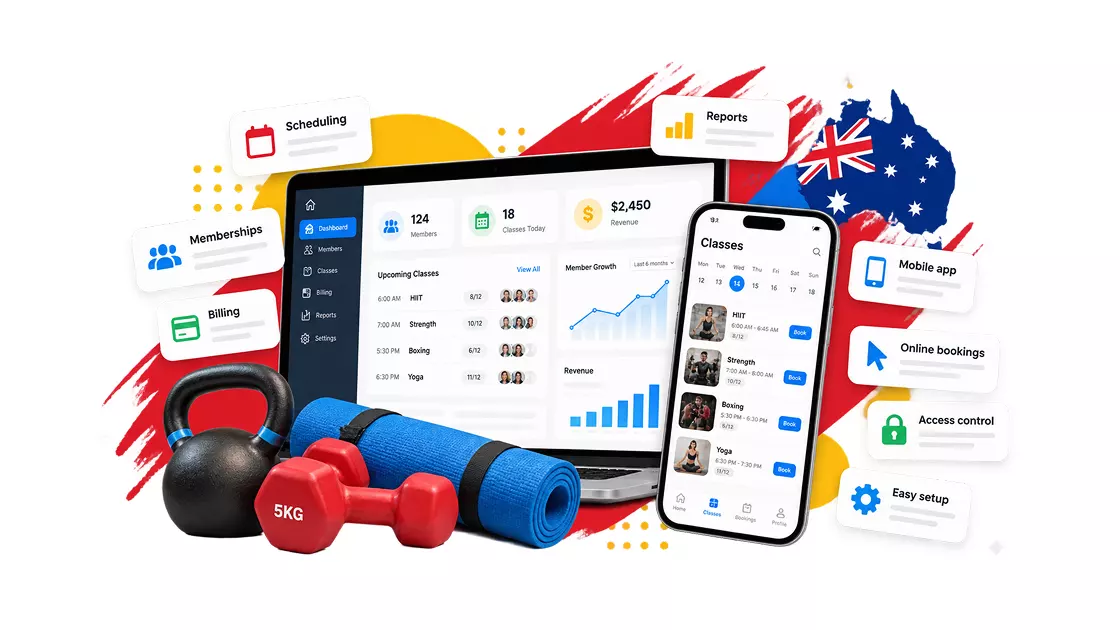
Choosing gym management software in Australia involves more than comparing monthly subscription prices. The right platform should support your membership model, payment methods, access needs, reporting, and growth plans. It should also make the full cost clear before you commit.
The priorities differ by facility. A 24/7 gym needs reliable entry controls, while a boutique studio may care more about class capacity, waitlists, and recurring bookings. Both need dependable billing and accurate member records.
Australian operators also need to consider GST, privacy obligations, membership agreements, and payment infrastructure. Software designed for another market may still work well, but you need to check its local payment options, integrations, and compliance support.
This guide explains how to evaluate gym management software in Australia, compare vendors, calculate total ownership costs, and choose a system that fits your facility.
1. Check Australian compliance requirements before choosing software
Gym management software can help you maintain records, issue invoices, and manage membership agreements. However, software does not automatically make a business compliant. You remain responsible for understanding the laws that apply to your operations.
GST, tax invoices, and BAS reporting
Australian businesses generally need to register for Goods and Services Tax (GST) when their GST turnover reaches or is expected to reach A$75,000. The Australian Taxation Office’s GST registration guidance explains the registration threshold and the requirement to register within 21 days of becoming aware that the threshold will be exceeded.
GST is generally charged at 10% on taxable supplies. Whether a particular transaction is taxable depends on the nature of the supply and the circumstances.
For registered gym operators, the right software should make it easier to manage:
- GST settings and tax calculations.
- Tax invoices and payment receipts.
- Membership fees, joining fees, personal training, and casual visits.
- Refunds, credits, discounts, and membership freezes.
- Sales reports and accounting records used to prepare Business Activity Statements (BAS).
Look for software that can export financial information to your accounting platform. Direct integrations with products such as Xero or MYOB can reduce manual work, but confirm whether the integration is native, provided through a third party, or limited to exporting files.
Ask the vendor to demonstrate how membership payments, partial refunds, failed debits, and membership freezes appear in the financial reports. This is more useful than relying on a general claim that the system supports accounting.
Privacy Act 1988 and member health information
Gyms may collect names, contact details, attendance records, emergency contacts, injury information, pre-exercise screening responses, and fitness assessments. Some of this information may qualify as sensitive health information.
The Office of the Australian Information Commissioner (OAIC) explains that some small businesses must comply with the Privacy Act 1988 even when their annual turnover is A$3 million or less. This includes certain health service providers that hold health information. A gym’s obligations depend on its activities and circumstances, so operators should assess their own position rather than assume an exemption applies.
When evaluating software, ask:
- What personal and health information does the system collect?
- Where is the information stored and processed?
- Which subcontractors and overseas service providers can access it?
- How does the system assign access permissions to owners, trainers, reception staff, and contractors?
- Can staff access be removed immediately when someone leaves?
- What backups, security controls, and incident-response procedures are in place?
- Can you export or securely delete information when appropriate?
Australian server hosting may be a useful procurement preference, but it is not a universal requirement for every gym. The Privacy Act’s Australian Privacy Principle 8 addresses certain disclosures of personal information to overseas recipients. The OAIC’s guidance on overseas disclosures explains why businesses should examine how their information is handled across borders.
Australian consumer law and state-specific gym rules
Membership agreements should explain fees, payment frequency, cancellation terms, renewal conditions, suspension options, and the process for ending a membership.
Australian Consumer Law applies to consumer transactions, including gym memberships. Unfair contract terms in standard-form consumer contracts can be unlawful, and misleading representations about pricing or cancellation conditions can create legal problems. The Australian Competition and Consumer Commission’s guidance on unfair contract terms explains the rules and how they apply to standard-form contracts.
Some requirements also vary by state or territory. For example, the Queensland Government’s guidance on joining a gym explains the 48-hour cooling-off period and restrictions applying to certain fitness service agreements. NSW operators should review the NSW Government’s fitness and gym guidance rather than assume Queensland’s rules apply to their facility.
Gym management software can help by storing agreement versions, recording member acceptance, tracking cancellation requests, and maintaining payment histories. However, you should still review your contracts and operating procedures against the laws that apply to your location.
2. Choose payment methods that fit Australian members
Recurring payments are central to a membership-based business. The software needs to collect payments reliably, identify failures, maintain accurate records, and make it easy for members to resolve payment issues.
Do not assume every international platform supports the same Australian payment methods. Ask for a demonstration using the payment provider and account configuration you intend to use.
Compare BECS direct debit with card payments
The Bulk Electronic Clearing System (BECS) supports direct debits from Australian bank accounts. Many gyms use direct debit for recurring memberships, while cards may be useful for joining fees, casual visits, merchandise, and other purchases.
The best option depends on your payment provider, member preferences, transaction size, and processing agreement.
| Factor | BECS direct debit | Card payments |
| Common use | Recurring membership fees | Memberships, casual visits, and retail |
| Member authorisation | Direct debit authority | Card payment authorization |
| Potential payment issues | Insufficient funds, disputed debits, canceled authorities | Expired cards, insufficient funds, declined transactions |
| Cost considerations | Provider fees and any platform charges | Percentage fees, fixed fees, and possible additional charges |
| What software should provide | Authority records, debit status, reconciliation, and failure alerts | Secure payment handling, transaction records, and failure alerts |
Compare the full pricing schedule rather than assuming direct debit is always cheaper. Some providers charge a fixed fee, a percentage, or a combination of both. The software vendor may also add a separate platform fee.
Before signing, ask for the total cost of collecting a typical membership payment at your actual membership price.
Understand PayTo and the new payments platform
PayTo is an Australian payment option that allows customers to authorize payment agreements through their participating bank’s online banking service. Agreements can cover one-off or recurring payments, depending on the arrangement and the provider’s capabilities.
According to Australian Payments Plus, PayTo uses Australia’s New Payments Platform infrastructure. It supports digital payment authorizations and can provide information about payment agreements and their status.
For gym operators, PayTo may offer another way to establish and manage recurring payments. However, availability depends on the financial institution and payment provider. Don’t assume every gym management platform supports it.
Ask vendors these questions:
- Can the platform initiate PayTo agreements today?
- Which payment provider supplies the service?
- Can members authorize, pause, change, or cancel agreements through their banking service?
- How are successful and failed payments reflected in member accounts?
- What are the transaction fees and implementation requirements?
- Does the provider support the recurring payment arrangements your gym needs?
Automate failed-payment follow-up
A failed payment creates an administrative task. Staff must identify the issue, contact the member, collect the outstanding amount, and update the account.
Gym management software can reduce this workload by automating parts of the process. Look for features such as:
- Failed-payment notifications for staff and members.
- Configurable retry rules supported by the payment provider.
- Secure links to update payment details or settle outstanding balances.
- Records of payment attempts and member communications.
- Clear rules for when overdue accounts are restricted or restored.
- Reports showing outstanding balances and recurring payment failures.
Avoid relying on a vendor’s recovery-rate claims unless the company provides credible evidence and explains how it measured the results. Results vary by payment method, member behavior, retry timing, and the underlying reason for a failed transaction.
You should also confirm that automated access restrictions follow your membership agreements and applicable legal obligations.
For more on connected billing features, explore Gymmanagement-Software.com and compare the membership, billing, and scheduling tools available for your business.
3. Evaluate 24/7 access control and facility security
A 24/7 gym needs more than a way to unlock its doors. Its access system must align with member permissions, opening hours, membership status, and the facility’s installed hardware.
For staffed gyms, reception-based check-in may be sufficient. For unstaffed facilities, access control can become a critical part of daily operations.
Connect membership status to entry permissions
When a membership expires or an account becomes overdue, the system should apply your configured access rules. This can reduce manual updates to door permissions and help staff manage entry consistently.
During a demonstration, ask the vendor to show what happens when:
- A membership expires.
- A payment fails.
- A member freezes or cancels their membership.
- A staff member’s access permissions change.
- A member attempts to enter outside permitted hours.
- A member scans in twice or tries to use another person’s credential.
Check how quickly changes reach the door controller and whether the software keeps an auditable entry history. Also establish who can override an access restriction and how that action is recorded.
Configure automatic restrictions around your membership terms, payment rules, safety requirements, and dispute-handling procedures.
Compare integrated controllers with third-party integrations
Gym access systems generally combine management software, access-control hardware, credentials, and door infrastructure. Some vendors offer an integrated solution, while others connect to third-party access-control products.
An integrated setup can reduce the number of systems your team must manage. A third-party integration may offer more flexibility, but it can add subscriptions, configuration, and support responsibilities.
For example, GymMaster’s Australian pricing page lists software-only options and software packages with 24/7 access hardware. Check hardware, installation, taxes, and optional services separately.
Before choosing a setup, verify:
- Which door controllers and readers are supported.
- Whether hardware and installation are included.
- What happens if the internet connection fails.
- Whether access rules are cached locally.
- Whether the system can report entry events after connectivity returns.
- Which company handles hardware faults and software issues.
- Whether you need separate licenses or subscriptions.
Never assume that every cloud-connected door system will operate in the same way during an internet outage. Ask the vendor to demonstrate its actual offline behavior.
Mobile credentials versus RFID fobs
Members may enter using mobile credentials, QR codes, RFID fobs, or access cards. Each method has practical trade-offs.
Mobile credentials can reduce the need to issue and replace physical fobs, but members need compatible devices and a reliable way to authenticate. RFID credentials may be easier to distribute to members who do not want to use a phone.
Compare the total cost of credentials, readers, replacements, installation, and support. Also ask about credential sharing, lost-device procedures, anti-tailgating measures, and how access is revoked when a membership ends.
The best access method fits your members, building, security requirements, and operating budget.
4. Compare gym management software by total cost of ownership
A low monthly subscription does not always mean the lowest overall cost. Some platforms charge according to active members, locations, or selected modules. Others require separate payment services, access hardware, or marketing tools.
Total cost of ownership (TCO) gives you a more realistic way to compare the options.
Use a complete cost formula
Total monthly operating cost = subscription + add-ons + payment fees + member or location charges + recurring hardware and integration fees.
Then account separately for one-off expenses such as:
- Setup and implementation.
- Hardware and installation.
- Data migration.
- Staff training.
- Branded app setup.
- Contract termination or data export fees.
For a fair comparison, use the same number of members, locations, payment volume, and required features for every vendor.
For example, a gym with 300 members should compare the price of supporting 300 members across all shortlisted systems. If a vendor’s advertised plan includes only 100 members, include the cost of upgrading before deciding that it is the cheaper option.
Understand the cost of free software
A free subscription can be useful for a small gym or a new business. It may also limit members, reporting, support, integrations, or automation.
A free plan isn’t necessarily cheaper, and a paid plan isn’t automatically a better value. The key question is whether the total cost is lower than the alternatives for your actual usage.
Calculate the cost of collecting payments separately from the subscription. If the payment provider charges a percentage plus a fixed transaction fee, monthly costs will change with payment volume and the number of transactions.
For example, the fee on 200 payments of A$50 will differ from the fee on 100 payments of A$ 100, even though both scenarios collect A$10,000. The fixed transaction component makes the number of payments relevant.
Use your own transaction estimates instead of relying on a universal break-even figure.
Compare vendors using published pricing
The following examples illustrate different pricing approaches. Vendor prices and plan details should be checked against the current official pricing pages before publication, as fees and inclusions can change.
| Platform | Published pricing example | What to check |
| Gymmanagement-software.com | Free: 0 USD; Excel: USD99/month;Exceed:USD199/month; Ultimate: USD 299/month | Confirm currency, Australian payment options, and access-control costs on the official pricing page. |
| GymMaster | Australian software-only plans and software-plus-access packages | Check member limits, hardware, installation, and optional services on the GymMaster pricing page. |
| VERVE Pulse | Core, Grow, and Pro subscription tiers | Confirm billing terms, GST treatment, member capacity, payment processing, and add-ons on the VERVE Pulse pricing page. |
| Clubworx | Free plan for up to 20 active members, with paid plans available | Check member limits, payment-provider arrangements, and feature availability on the Clubworx pricing page. |
These are not like-for-like offers. The platforms use different member allowances, billing terms, hardware arrangements, and payment models. The lowest advertised price may not be the lowest cost for your facility.
Gymmanagement-software.com lists its plans in US dollars on its pricing page. Australian buyers should confirm the currency, payment processing options, taxes, integrations, and any country-specific terms before committing.
Match the platform to your facility
For 24/7 unstaffed gyms: Prioritize access hardware, offline operation, membership-linked entry rules, entry logs, and a clear support process for door faults. GymMaster is one option to evaluate because it publishes a software-plus-access pricing structure.
For commercial and multi-location operators: Look for central reporting, location-level permissions, consistent membership rules, consolidated financial reporting, and pricing that remains predictable as locations are added. Confirm whether multi-site functionality is included or charged separately.
For boutique studios: Focus on class scheduling, capacity management, waitlists, recurring bookings, member communication, and a mobile booking experience. VERVE Pulse and Clubworx are good examples to compare against those requirements.
For martial arts schools and functional fitness facilities: Check attendance tracking, grading or belt records where relevant, family accounts, class scheduling, and payment collection. Clubworx is one platform to assess against these needs.
For budget-conscious operators: Compare free plans, included member limits, payment charges, support, and upgrade costs. A low-cost entry plan may be suitable if it covers your core needs without requiring expensive add-ons.
Do not choose a platform solely because it is marketed for your type of facility. Ask for a demonstration of the workflows your staff and members will use every day.
5. Plan implementation and data migration before you sign
The switch to new software affects billing, member records, staff routines, bookings, and access permissions. A clear implementation plan reduces the risk of missing information or interrupting normal operations.
Prepare the system before opening or migration
If you are opening a new gym, configure your software before launch. This gives you time to set up memberships, pricing, booking rules, payment agreements, waivers, and member communications.
A pre-opening checklist should cover:
- Membership types, joining fees, discounts, and freeze rules.
- Class schedules, booking limits, waitlists, and cancellation policies.
- Payment providers and recurring billing settings.
- Digital forms, waivers, and membership agreement records.
- Staff roles, permissions, and training.
- Access credentials, door hardware, and emergency procedures.
- Lead capture, trial bookings, and follow-up messages.
Test the complete member journey before going live. Create a test member, sign up for a membership, make a booking, process a payment, check in, and cancel or freeze the membership. Confirm that the correct records and notifications are generated at every stage.
Verify the data migration process
A migration should cover more than names and email addresses. Depending on your existing system and the new platform’s capabilities, you may need to transfer membership status, payment history, attendance records, bookings, agreements, and outstanding balances.
Before the migration, ask:
- Which data fields can be transferred?
- Can the vendor import records directly, or must you use CSV files?
- Are historical transactions transferred, or only current account balances?
- Do members need to authorize new recurring payment agreements?
- How will duplicate or incomplete records be handled?
- Can you review a sample migration before the full transfer?
- How will data be exported if you leave the platform later?
Recurring payment authorities should not be assumed to transfer automatically between providers. Confirm whether members need to approve new mandates or enter their payment details again.
Keep a backup of the source data, assign responsibility for checking the results, and agree on a go-live plan with the vendor.
Train staff and test day-to-day operations
Staff need to know how to check members in, correct booking mistakes, handle failed payments, process refunds, and manage membership changes. Owners should also understand how to run financial reports and review access permissions.
Arrange training before launch, then test common problems, not just the ideal workflow. Ask the vendor how they provide support, what hours it covers, and whether the same team handles access-control hardware issues.
6. Final checklist: Choose software that fits your gym
Before signing a contract, confirm that the platform can meet your operational and financial requirements.
- Supports your membership types, billing cycles, freezes, and cancellations.
- Provides the Australian payment methods you need.
- Makes payment processing and platform fees clear.
- Supports the GST and accounting workflow relevant to your business.
- Gives you appropriate control over member information and staff permissions.
- Works with your access-control hardware, if required.
- Explains offline access behavior and hardware support.
- Includes the scheduling, waitlists, bookings, and attendance features you need.
- Makes member limits, add-ons, and location charges transparent.
- Provides a documented migration and implementation process.
- Lets you export your data if you decide to switch providers.
- Offers support and training that match your operating hours.
A vendor demonstration should show these workflows in practice. If a feature is essential, ask the vendor to confirm it in writing and include the relevant cost in your quote.
Frequently asked questions
What should Australian gym owners look for in gym management software?
Look for membership and billing management, Australian payment support, scheduling, attendance tracking, reporting, and reliable customer support. If you operate a 24/7 facility, check access-control hardware, offline behavior, and membership-linked entry rules. Also compare member limits, payment fees, integration costs, and data migration.
Does gym management software need to support GST?
If your business is registered for GST, the software should help you apply the appropriate tax settings, issue compliant tax invoices, and maintain records for reporting. The exact requirements depend on your business and transactions. Check the ATO’s GST guidance and confirm the system’s capabilities with your accountant.
Is Australian data hosting legally required for gym software?
Not universally. The Privacy Act and Australian Privacy Principles may impose obligations on businesses covered by the legislation, including rules concerning certain disclosures of personal information overseas. Ask vendors where they store data, who can access it, and how they support your privacy obligations. The OAIC’s small-business privacy guidance is a useful starting point.
Which payment methods should gym management software support in Australia?
That depends on your business model and provider. Many gyms need recurring bank direct debit and card payments. PayTo may also be useful where the gym’s financial institution and payment provider support it. Confirm availability, fees, member authorization, reconciliation, and failed-payment handling before signing.
How much does gym management software cost in Australia?
Costs vary by vendor, member count, locations, features, payment processing, and hardware. For example, GymMaster publishes Australian software-only and software-plus-access options, while Clubworx offers a free plan for eligible small facilities. VERVE Pulse also publishes subscription tiers. Compare GymMaster, Clubworx, and VERVE Pulse pricing against your gym’s full requirements.
Can gym software control 24/7 door access?
Some platforms integrate with compatible access-control hardware and can apply entry permissions based on membership status, schedules, or configured rules. The exact capabilities depend on the software, controller, reader, and installation. Confirm supported hardware, offline operation, access logs, and total installation and subscription costs.
Can I move member records and recurring payments from my current software?
Member records can often be imported, but the fields and history transferred depend on the source and destination systems. Recurring payment authorities may require new member authorization. Before switching, confirm what data will move, how payment mandates will be handled, and how the vendor will validate the migration.
Should a small gym choose free or paid gym management software?
A free gym management software plan can suit a new or small facility if its member limits, features, payment options, and support are sufficient. A paid plan may be better value when it includes tools that would otherwise require separate subscriptions. Compare the total monthly cost and the features you actually need, rather than choosing based on price alone.
Choose gym management software for the way your gym operates
The right gym management software should support your daily operations without creating unnecessary cost or administrative work. For Australian operators, that means checking local payment support, privacy responsibilities, membership rules, accounting workflows, and access-control requirements before comparing subscriptions.
Start with your facility’s needs. A 24/7 gym may prioritize door hardware and reliable entry permissions, while a boutique studio may need better bookings and waitlist management. Then compare the full cost of each platform using the same member count, payment volume, and feature requirements.
Gymmanagement-software.com brings membership management, scheduling, billing, lead management, marketing, and access-related tools together in one platform. Review the available plans and pricing and request a demonstration to confirm the setup, currency, payment options, and features that suit your Australian business.
The best choice is not necessarily the platform with the longest feature list or the lowest headline price. It is the one that meets your requirements, makes its costs clear, and supports the way your gym needs to operate.